Concept buildPerformance · Diagnostic guide
Vitals Lab
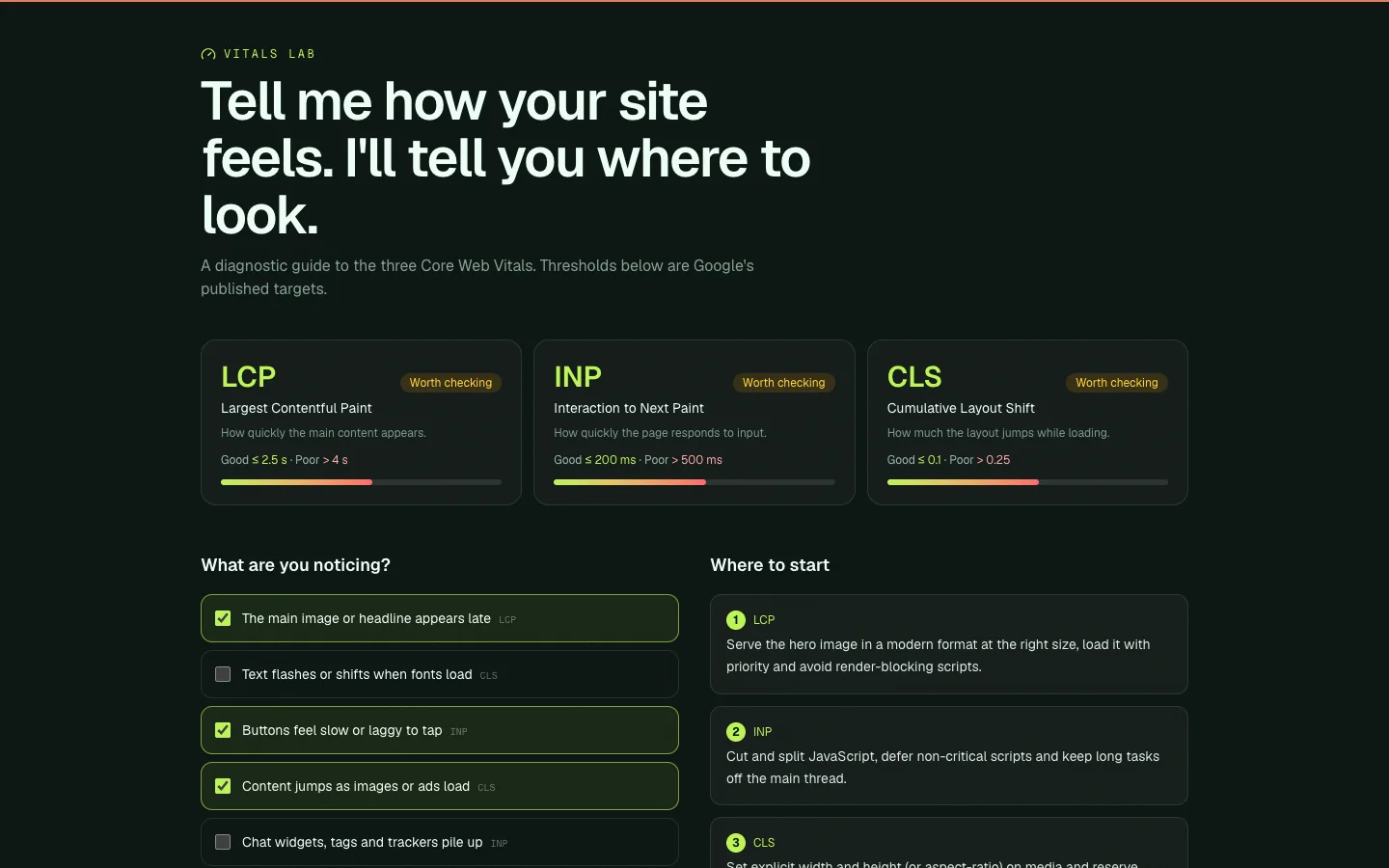
An interactive guide that maps symptoms to Core Web Vitals fixes.
01Overview
A concept build created to demonstrate website performance optimization. Vitals Lab is a fictional brand, so there is no client and no real-world results — it exists to show the design, interaction and engineering approach in a working, clickable site.
02The Challenge
Slow sites are hard to fix when you don't know which metric is to blame.
03My Role
Design & development — responsible for planning, building and shipping the product across the interface, backend and data layer.
04The Solution
A diagnostic tool: pick what you notice and get prioritised fixes for LCP, INP and CLS, using Google's published thresholds.
05Key Features
- Symptom-based diagnosis
- Prioritised recommendations
- Published metric thresholds
- No fabricated benchmark numbers
06Technology Stack
- React
- TypeScript
- Core Web Vitals
- Tailwind CSS
07Development Process
- 1
Define the brief
Chose a realistic scenario for the service and defined what the product needs to do.
- 2
Design the interface
Set a distinct visual direction, type scale and responsive layout.
- 3
Build it
Implemented in React and TypeScript with accessible, keyboard-friendly interactions.
- 4
Polish and test
Checked responsive behaviour, focus states and empty or error states.
08Screens / Visuals
09Lessons Learned
- Explain the metric before recommending the fix.
- Prioritise by likely impact.
- Never invent performance results.
10Result
A complete, working concept demo you can open and use — built to show the approach, not to claim client results.
Need something similar?
Let's talk about what you're building.